API User Guide

This document details how to secure API endpoints using authentication. If you want to call the public API, you need to complete two steps.

Step 1: Get Client ID and Secret Key

Dashboard - Reseller Dashboardarrow-up-right - Client ID&Secret Key

Step 2: Get access token

curl example:

curl -v -X POST "https://reseller-api.data4peace.com/v2/oauth2/token" \
 -u "CLIENT_ID:SECRET_KEY"
  • Modify the code

  1. Change CLIENT_ID to your Client ID.

  2. Change SECRET_KEY to your Secret Key.

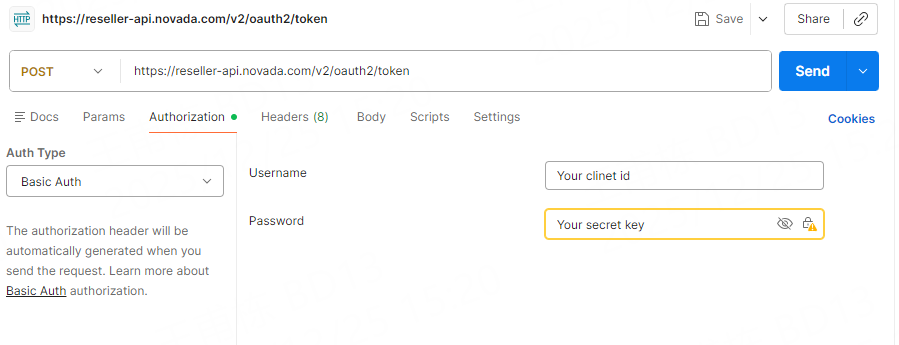
postman example:

sample response:

Make API calls

When you make API calls, replace ACCESS-TOKEN with your access token in the authorization header: -H Authorization: Bearer ACCESS-TOKEN. When your access token expires, call /v2/oauth2/token again to request a new access token. example:

POST https://reseller-api.data4peace.com/v2/sub_user/create Authorization: Bearer your_access_token

Last updated